

Fly Together, Earn More
Some flights are better with two people up front. A shared cockpit flight puts you and a friend in the same aircraft, linked through a tool like YourControls or SmartCopilot, splitting the work the way a real crew does: one pilot flies, the other monitors and handles the radios. Every shared cockpit flight earns +200 points for each pilot, on top of your normal flight score.+200 Points
Added to your score for every shared cockpit flight
Both Pilots
You and your co-pilot each get the bonus on your own PIREP
Automatic
Applied when your two PIREPs match up, with nothing to claim
How the Bonus Works
The bonus is not tied to a single booking. Each pilot books and flies their own copy of the flight, and when your is scored, vAMSYS looks for a matching PIREP from one of your friends. It counts as a shared cockpit flight when the other PIREP:- Belongs to an accepted friend who also flies for vACA
- Has the same departure and arrival airports as yours
- Has a takeoff within 5 seconds of yours
- Has a touchdown within 5 seconds of yours
- Once per flight. The bonus is awarded once per PIREP, however many friends fly with you.
- Network does not matter. The online network is not part of the check, so it works on VATSIM, IVAO, SayIntentions, or offline.
- Aircraft are not compared. Only the airports and the takeoff and touchdown times are matched. Booking the same aircraft is still the right call (see below).
View Scoring Rules
Check the Shared Cockpit rule and every other way points are added or deducted.
Add Your Co-Pilot as a Friend
You can only fly a shared cockpit flight with a friend. Friendships live on your vAMSYS account, so once you are friends it works across every virtual airline you both fly for.1
Send a friend request
Use either option:
- From their profile: open your co-pilot’s pilot profile in the Pilot Portal and click Add Friend
- By email: go to the Friends page in your vAMSYS account and use Invite Friend with the email address on their account
2
Your co-pilot accepts
The request stays pending until your co-pilot approves it. Once they do, they show up in the Shared Cockpit Co-Pilot dropdown on the booking page.
Friend requests are on by default. If yours is not getting through, ask your co-pilot to check Allow Friend Requests under My vAMSYS Account → Global Preferences → Privacy.
Booking a Shared Cockpit Flight
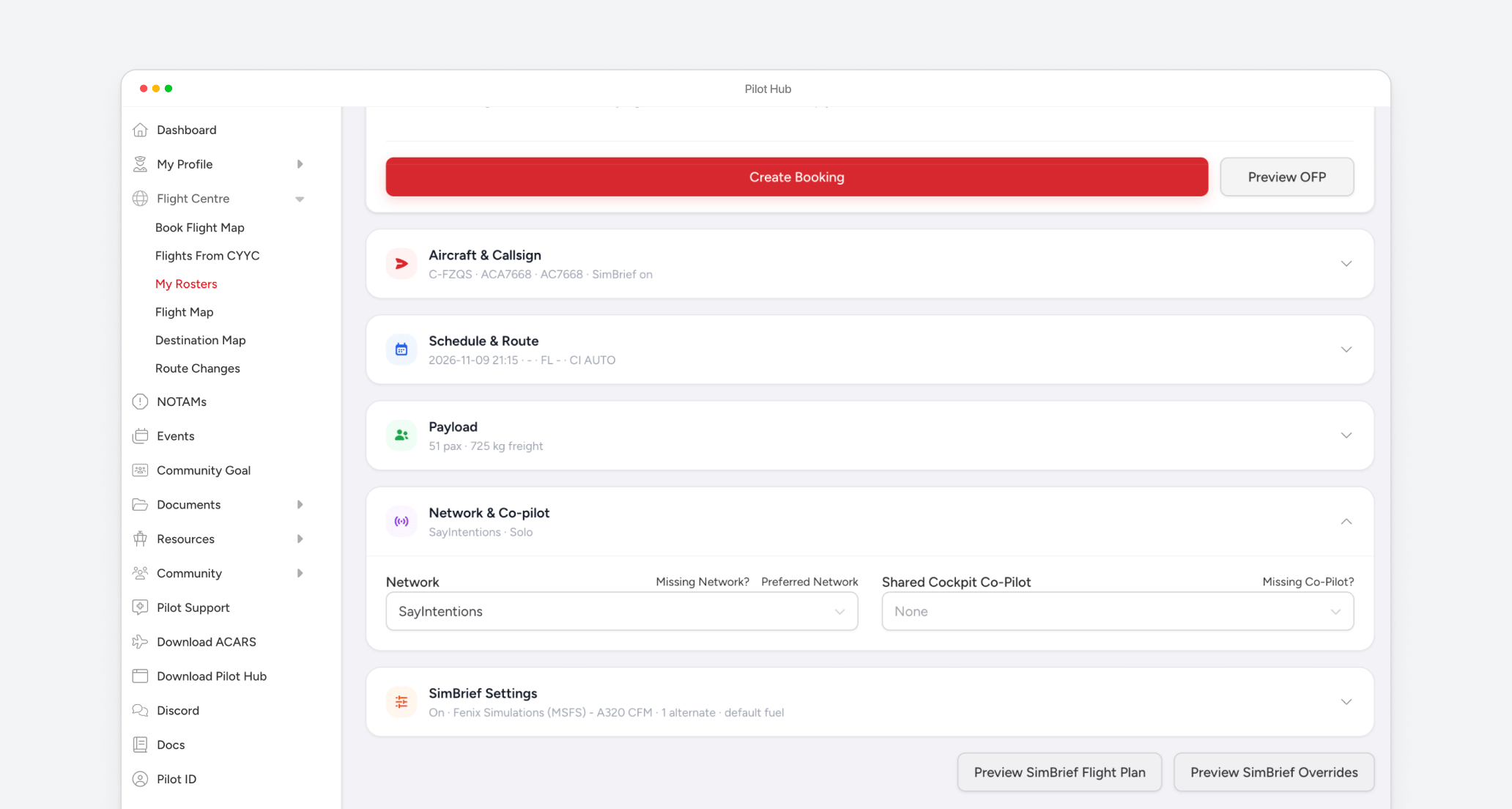
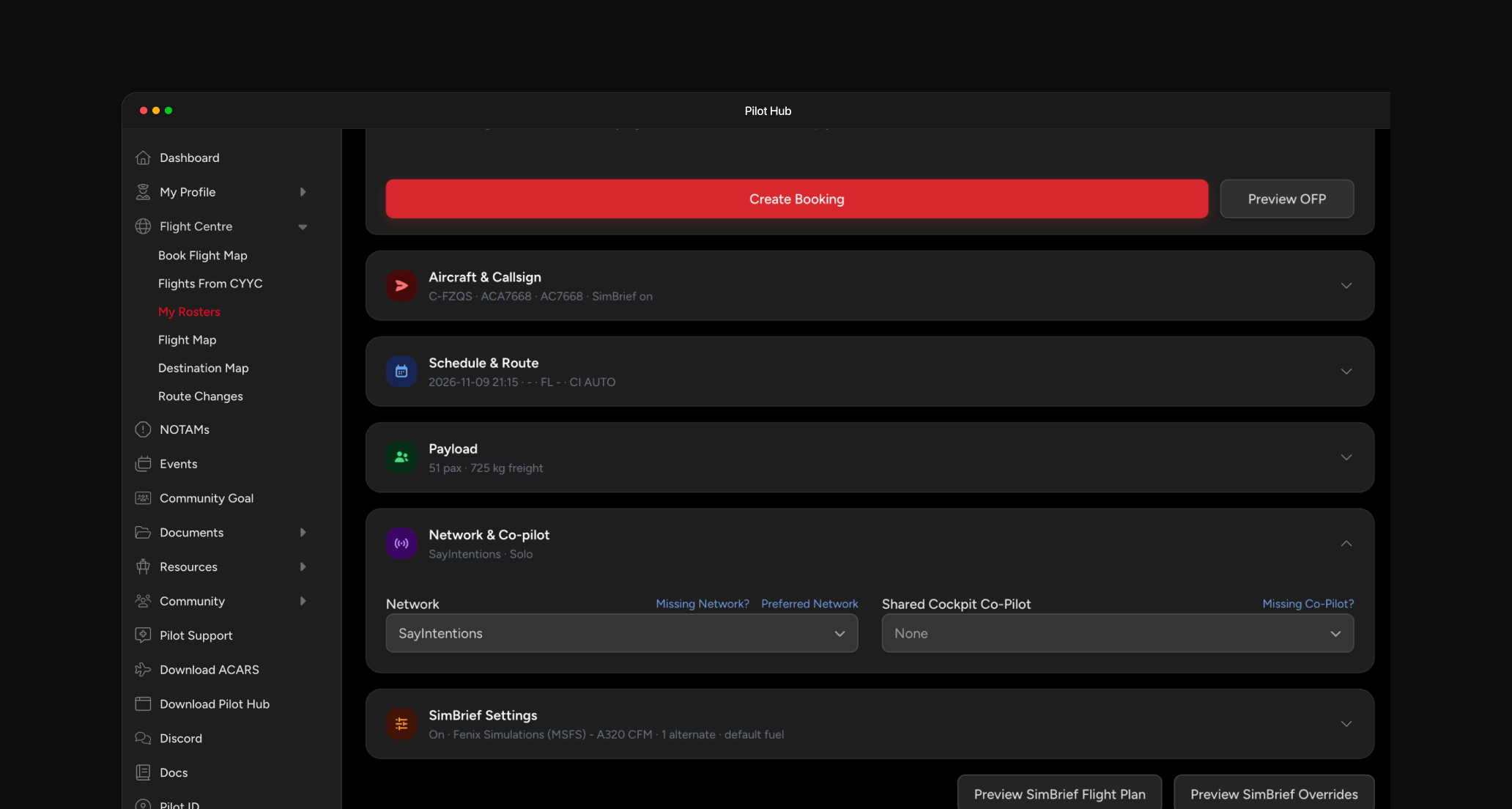
The steps below use the Pilot Portal. The Pilot Hub desktop app shows the same screens.1
Pick the flight together
Agree with your co-pilot on the flight you are going to fly. You both need the same departure and arrival airports.In the sidebar, expand Flight Centre and find the flight through Book Flight Map, Flights From your current airport, or My Rosters. Select it to open the booking page.
2
Review the booking details
Work through the sections on the booking page as you normally would:
- Aircraft & Callsign: the aircraft registration and callsign for the flight
- Schedule & Route: departure time, flight level, and cost index
- Payload: passengers and freight
- SimBrief Settings: OFP options if you plan with SimBrief
3
Select your co-pilot
- Choose the Network you are flying on
- Under Shared Cockpit Co-Pilot, change None to your friend
The dropdown only lists accepted friends who have a vACA pilot account. If you added a friend while the page was open, reload it.
4
Create the booking
Click Create Booking. Use Preview OFP first if you want to check the flight plan.
5
Your co-pilot books the same flight
Selecting a co-pilot does not notify them, so let them know you have booked. You can send them the link to your booking page so they can see the details.Your co-pilot then books the same departure and arrival from their own account, following the same steps. They can select you as their co-pilot too.
Flying the Flight
1
Link your simulators
Start a shared cockpit session so both simulators fly the same aircraft. YourControls is the usual choice for MSFS and SmartCopilot for X-Plane. The Shared Cockpit guide covers setup for both.
2
Both pilots start Pegasus ACARS
Each pilot opens their own booking in Pegasus ACARS and starts tracking as usual. Keep the simulators linked through takeoff and touchdown so both clients record those moments within 5 seconds of each other.
3
Connect to the network
On VATSIM, only one aircraft should be visible. One pilot connects with the flight callsign (for example ACA123), and the other connects in observer mode with a letter suffix (for example ACA123A). Agree beforehand on who talks to ATC. The Shared Cockpit guide walks through it.
4
Both pilots file a PIREP
After the flight, each pilot files their own PIREP from Pegasus. The +200 is added to both once they are scored.
Troubleshooting
We flew together but did not get the +200
We flew together but did not get the +200
Check that both of you filed a PIREP, that both flights had the same departure and arrival airports, and that you are accepted friends. Then check the timing: if the simulators desynced or one of you reconnected around takeoff or landing, the events may have been recorded more than 5 seconds apart.If everything lines up and the points are still missing, contact support with links to both PIREPs.
My co-pilot cannot see my booking
My co-pilot cannot see my booking
Selecting a co-pilot does not send a notification. Send them the link to your booking page directly.
Do we earn more if more friends fly with us?
Do we earn more if more friends fly with us?
No. The bonus is awarded once per PIREP, however many friends fly the same flight.
Need Help?
If you have questions about shared cockpit flights or a missing bonus:Discord Community
Get answers to your questions in our active Discord community
Email Support
Contact our support team for personalized assistance